
Google Analytics Data API review
Best free on-site behaviour data
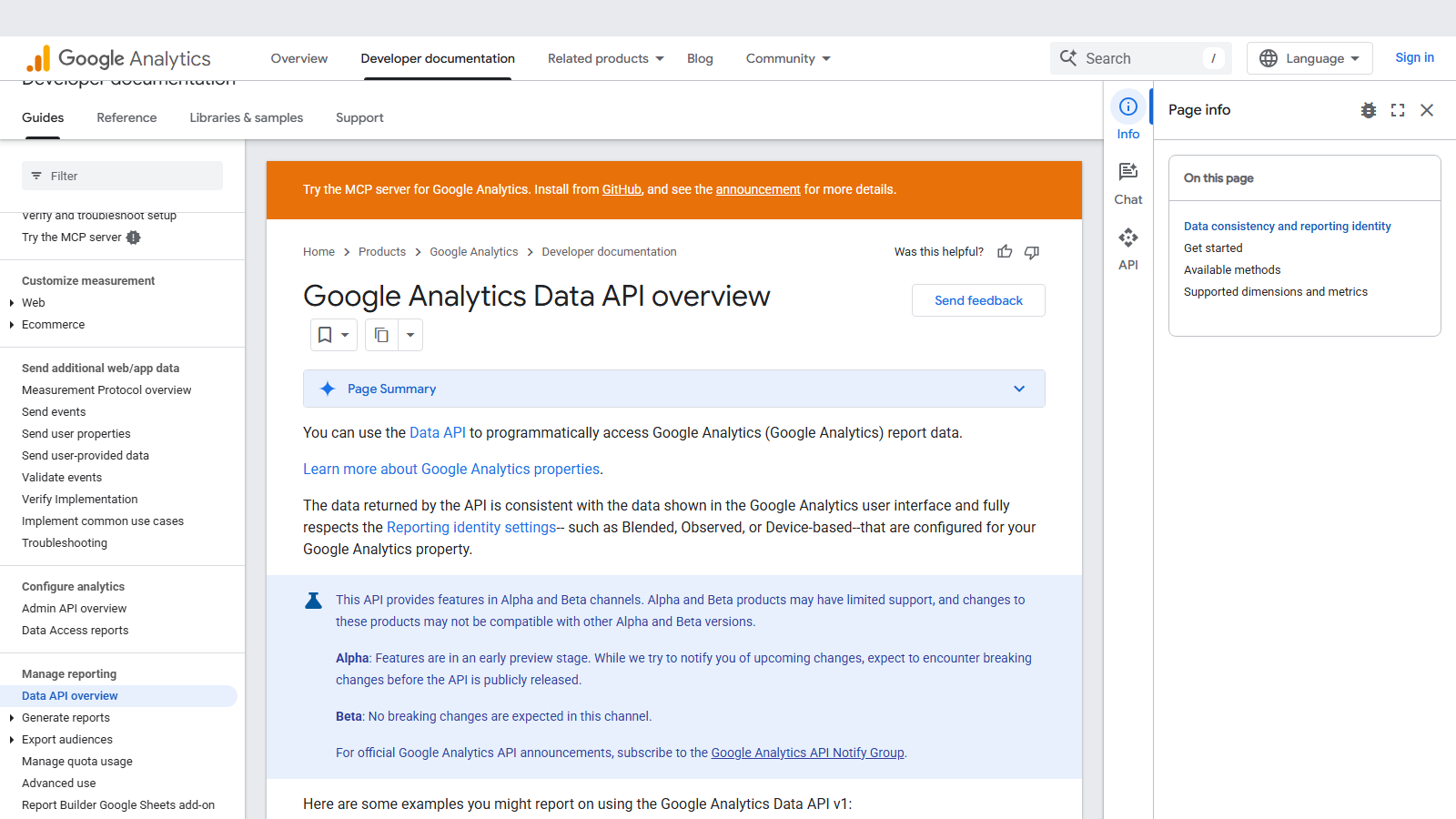
The Google Analytics Data API is the programmatic route out of GA4. runReport answers most questions, with pivot and batch variants beside it, a realtime method for the last 30 minutes and funnel reporting still in alpha. Google says the numbers match the interface and honour the property's reporting identity. Google Analytics is free at the standard tier, and the API has no price of its own.
Tokens meter it instead, and two design choices follow from that. A request's cost is decided when it executes, from rows, dimensions, filters, date range, cardinality and the property's own event volume, so you learn the price afterwards through returnPropertyQuota. And the allowance belongs to the property: every Cloud project, dashboard and script reading it spends one pool, and when a property-wide quota runs out, all of them get errors.
On a standard property that pool is 200,000 Core tokens a day and 40,000 an hour, of which any single Cloud project may take 14,000 an hour. Most requests cost 10 tokens or fewer. Long ranges are the exception: Google's changelog warns that asking for more than six months of data can charge 1,000 or more, and fourteen of those would spend a project's hourly share on that property.
Our scorecard
Our editorial read across six dimensions, scored 1 to 5. This is our own assessment, not an aggregate of user reviews, and it is deliberately kept out of the page's structured data.
- Data coverage3/5
Everything GA4 reports for properties you can read, plus four Search Console metrics when linked. Nothing on other sites.
- Pricing5/5
No charge anywhere in the stack. Tokens are the constraint, and Analytics 360 multiplies those by ten.
- Documentation4/5
Exact quota tables, a data-expectations guide and a dated changelog. Alpha features are split across versions and easy to miss.
- Ease of integration3/5
Official clients in seven languages plus REST, once a Cloud project, credentials and property access exist.
- Reliability4/5
Sampling, thresholding and (other) rows are flagged in response metadata rather than hidden from you.
- Support2/5
Community channels and an issue tracker. Google says its alpha and beta features may have limited support.
An editorial read, not an aggregate of user reviews, and deliberately kept out of this page's structured data.
Google Analytics Data API in their own words
From Google Analytics Data API's own YouTube channel. Vendor marketing rather than an independent review, included because it is the quickest way to see the product before you sign up.
What you can pull
runReport (v1beta)
Core tokens, usually 10 or fewer
A table of up to nine dimensions and 10 metrics across one or more date ranges, with filters, ordering, comparisons, cohorts and up to 250,000 rows
batchRunReports and runPivotReport
Core tokens for each report
Up to five reports in one call, or pivot tables whose row and column structure is described explicitly
runRealtimeReport
Realtime tokens, a separate pool
Events from the last 30 minutes (60 on Analytics 360) with a reduced set of dimensions and metrics and up to two minute ranges
runFunnelReport (v1alpha)
Funnel tokens, a separate pool
Funnel steps built from filter expressions, returned as a visualisation and a table. In the alpha channel since May 2022, so breaking changes are possible
getMetadata and checkCompatibility
Core tokens
Every dimension and metric the property supports, custom definitions included, and which combinations can share a request
reportTasks (v1alpha)
Tokens charged at creation, reported back
Asynchronous report jobs with a samplingLevel control, each result kept for 72 hours after it is ready
getPropertyQuotasSnapshot (v1alpha)
1 token from the category with most quota
Current Core, Realtime and Funnel quota balances for a property without running a report
Who Google Analytics Data API is for
Anyone whose SEO reporting has to end in sessions, key events or revenue rather than in positions. The same client that pulls landing-page engagement can pull organic Google clicks, impressions and average position once the property has a Search Console link. A scheduled job that stores one day's results at a time usually sits well inside a standard property's budget.
Event-level or very high-cardinality work needs a different tool. Every page path on a large site, or user-level rows, belongs in the BigQuery export, which Google itself recommends for unsampled analysis. And an agency running many client dashboards against the same properties should plan for quota contention long before it thinks about cost.
Strengths and limits
What it does well
- No charge at any volume. The ceilings are published token, concurrency and error quotas, not a bill.
- returnPropertyQuota reports consumed and remaining tokens for the day, the hour and your project's hourly share, so cost can be measured even though it cannot be predicted.
- Up to 250,000 rows per request with offset pagination, against a default of 10,000.
- Response metadata flags sampling, thresholding and (other) row data loss explicitly, even when a filter has hidden the (other) row itself.
- Organic Google Search clicks, impressions, click-through rate and average position are available as metrics when the property has an active Search Console link.
- Official client libraries in Java, Python, Node.js, PHP, .NET, Ruby and Go, plus Google's Query Explorer for testing requests.
- An official, read-only MCP server from Google's Analytics GitHub organisation, still labelled experimental, uses this API for its report tools.
Where it falls short
- A query's token cost is fixed only at execution, so a pipeline can measure and back off but cannot budget precisely in advance.
- Quotas belong to the property. Data Studio (formerly Looker Studio) reports, BI connectors and your own scripts all draw on one allowance, and an exhausted property-wide quota returns errors to every caller.
- Long date ranges are expensive: Google warns that requests beyond six months can charge 1,000 tokens or more, against a 14,000 hourly share per project.
- High-cardinality dimensions push rows into (other). Google treats more than 500 unique values a day as high cardinality, and filters run after the grouping, so they cannot recover those rows.
- Rows with few users can be withheld under thresholding, and only 120 requests an hour may use potentially thresholded dimensions such as age bracket, gender and interests.
- Funnel reports, report tasks and the quota snapshot live in the v1alpha channel, where Google expects breaking changes before release.
- It returns aggregated report data, not events. The BigQuery alternative caps the daily export at 1 million events on standard properties and bills beyond the free sandbox.
Google Analytics Data API pricing
Google publishes no price for the Data API, and Google Analytics itself is free at the standard tier. What stands in for a rate card is the quota table, set per property and split into Core, Realtime and Funnel categories, each with its own daily, hourly, concurrency and error limits.
Budget in tokens per hour rather than per day. A standard property's 200,000 daily tokens sound plentiful, but the limit most pipelines meet first is the 14,000 an hour that one Cloud project may spend on one property. Simple reports usually cost 10 or fewer, while Google's changelog gives 1,000 or more as possible for ranges beyond six months, so backfills belong in small date slices spread over several hours.
Analytics 360 multiplies the token quotas by ten and the concurrency and server-error quotas by five, and it extends the realtime window to 60 minutes. Those limits come with the 360 licence, and we found no separate price for API access.
The escape route for volume is BigQuery, which is free in a different sense. Standard properties can export up to 1 million events a day in the daily batch and streaming export has no event limit, but BigQuery bills storage and query processing once you outgrow the sandbox, whose free storage stops at 10GB.
Standard property
Free
Per property, per quota category
- 200,000 tokens a day, 40,000 an hour
- 14,000 tokens an hour per Cloud project
- 10 concurrent requests
- 10 server errors an hour per project
Analytics 360 property
360 licence
No separate API price published
- 2,000,000 tokens a day, 400,000 an hour
- 140,000 tokens an hour per Cloud project
- 50 concurrent requests and 50 server errors an hour
- Realtime window of 60 minutes, not 30
Limits with no 360 split
Free
Documented once for every property
- 120 potentially thresholded requests an hour
- 250,000 rows per request, 10,000 by default
- 9 dimensions and 10 metrics per request
- 10,000 client errors per project per 15 minutes
Request example
A minimal call against the live endpoint, with credentials read from the environment rather than pasted inline.
curl -s -X POST \
  "https://analyticsdata.googleapis.com/v1beta/properties/$GA4_PROPERTY_ID:runReport" \
  -H "Authorization: Bearer $(gcloud auth application-default print-access-token)" \
  -H "x-goog-user-project: $GCP_PROJECT_ID" \
  -H "Content-Type: application/json" \
  -d '{
        "dateRanges": [{ "startDate": "28daysAgo", "endDate": "yesterday" }],
        "dimensions": [{ "name": "landingPagePlusQueryString" }],
        "metrics": [
          { "name": "sessions" },
          { "name": "engagedSessions" },
          { "name": "keyEvents" }
        ],
        "dimensionFilter": {
          "filter": {
            "fieldName": "sessionDefaultChannelGroup",
            "stringFilter": { "matchType": "EXACT", "value": "Organic Search" }
          }
        },
        "orderBys": [{ "metric": { "metricName": "sessions" }, "desc": true }],
        "limit": 1000,
        "returnPropertyQuota": true
      }'

# propertyQuota in the response reports tokensPerDay, tokensPerHour and
# tokensPerProjectPerHour as { consumed, remaining }. Log it on every
# call: the cost of this exact query is only knowable once it has run.
#
# Before trusting the long tail, read metadata.dataLossFromOtherRow
# and metadata.subjectToThresholding in the same response.
Rate limits and quotas
- Standard property, per quota category (Core, Realtime, Funnel): 200,000 tokens a day and 40,000 an hour.
- Per Cloud project per property: 14,000 tokens an hour on standard, 140,000 on Analytics 360.
- Analytics 360, per quota category: 2,000,000 tokens a day and 400,000 an hour.
- Concurrent requests per property: 10 on standard, 50 on Analytics 360.
- Server errors (500 and 503) per project per property per hour: 10 on standard, 50 on 360. Exhausting it blocks that project's requests to the property.
- Client errors: 10,000 per project per property in a 15-minute window, after which that project is blocked until the window ends.
- Potentially thresholded requests: 120 an hour per property.
- runReport: up to 9 dimensions, 10 metrics and 250,000 rows per request, with 10,000 rows returned by default.
- batchRunReports: up to 5 reports per call. Realtime: the last 30 minutes (60 on 360), up to 2 minute ranges.
- Daily quotas reset at midnight Pacific Standard Time; hourly quotas refresh within an hour, not on the hour.
What practitioners say on Reddit
Quota complaints in r/GoogleAnalytics are mostly about surprise rather than scarcity. In a December 2025 thread about dashboards suddenly failing, the poster had used Looker Studio for years without knowing tokens existed. The most useful reply explained that the connector spends GA4 tokens and the hourly limit trips first, while another commenter cleared the error with a hard refresh, so not every quota message means real exhaustion.
The second theme is numbers that disagree. Developers storing daily page counts discover the (other) row after the fact, and one practitioner relayed Google support's explanation that API results come from aggregated report tables with a row limit rather than the raw data explorations read. Google's own data-expectations guide now documents the row limits and sampling behind it.
The remedy offered most often is the BigQuery export, sometimes with visible reluctance about the extra cost and duplicated work. That advice holds for high-cardinality reporting, provided the export's own daily cap on standard properties is part of the plan.
“Looker Studio doesn't have a quota limit, rather it's the GA4 API token limit. Further, it's not the total budget of tokens used it's tokens per hour that cause the error. Each chart or graph contributes to the data pull.”
r/GoogleAnalytics on Reddit“I've been using Looker for years and I didn't even know about tokens. Now, I just learnt where to check and same goes for me: not even close to the limit. By far.”
r/GoogleAnalytics on Reddit“I use this API integration internally to store the number of hits each page gets each day. In my naivete, I thought GA4 would return me all the data it has.”
r/GoogleAnalytics on Reddit“the API support team said these discrepancies are to be expected because they are being ran on reports (daily aggregated tables with a row limit), instead of explorations (raw event and user-level data).”
r/GoogleAnalytics on Reddit
Verdict
Wire it up, and treat the token quota as shared infrastructure rather than a private allowance. The Data API is the cheapest way to connect search visibility to what visitors did next, and with no charge and 250,000 rows a request, cost is not the question worth asking.
Ask instead who else reads the property. Every Data Studio chart, BI connector and script draws on the same hourly pool, a long date range can cost a hundred times a simple report, and nothing states the price until the response arrives. Log propertyQuota on every call, slice backfills into short ranges, and schedule heavy jobs away from the hours people open dashboards.
Know when to leave for BigQuery. Event-level analysis, every URL on a large site, or anything an (other) row would distort belongs in the export, within its 1-million-event daily cap on standard properties. Keep the Data API for the aggregated, repeatable reporting it was built for, and read the response metadata before trusting the long tail.
Google Analytics Data API FAQ
Does the GA4 API cost anything?
Not in money. Google publishes no price for the Data API, and standard Google Analytics is free. The cost is quota instead: 200,000 Core tokens a day and 40,000 an hour per standard property, with a 14,000-token hourly share for each Cloud project. Analytics 360 raises every token figure tenfold.Which Google Analytics API do I need?
For report data, the Data API. The Admin API manages configuration such as properties, data streams, custom dimensions and product links, and the Measurement Protocol sends events into a property. Google's official MCP server combines the first two, using the Admin API for account details and the Data API for its report tools.How many tokens does a request use?
Google says most use 10 or fewer, but the exact charge is set at execution by row count, dimensions and metrics, filter complexity, date range, cardinality and the property's event volume. Set returnPropertyQuota to true and the response shows what that call consumed and what remains for the day, the hour and your project.Why does my dashboard hit a quota it never used to?
Because the quota belongs to the property rather than the dashboard. Google states that Data Studio reports connected to GA4 are subject to Data API quotas, and it shows token use chart by chart. Scripts and other connectors spend the same pool, a spent property-wide quota errors every caller, and the hourly limits usually give out before the daily one.What is the (other) row in API results?
When a report table exceeds its row limit, GA4 keeps the most common values and groups the rest under (other). Google treats dimensions with more than 500 unique values a day as high cardinality, and filters run after the grouping, so they cannot recover those rows. The dataLossFromOtherRow field tells you when it happened.Is the data sampled?
It can be. runReport may sample large or complex queries, and samplingMetadatas then gives events read against events available for each date range. Thresholding is a separate mechanism: rows with few users can be withheld, and subjectToThresholding marks a report exposed to it. Both are flagged in the response rather than left for you to infer.Does it include Search Console data?
Four metrics, provided the property has an active Search Console link: organic Google Search clicks, impressions, click-through rate and average position. Use checkCompatibility to see which dimensions they combine with. For query-level rows in bulk, the Search Console API is the direct route.When should I use BigQuery instead?
Whenever you need event-level data, unsampled analysis or every value of a high-cardinality dimension, which is the use Google recommends the export for. Standard properties can export 1 million events a day in the daily batch, streaming has no event limit, and BigQuery charges for storage and queries once you move beyond the free sandbox.
Other providers worth a look
This is an independent review. We have no affiliate relationship with Google Analytics Data API, earn nothing if you sign up, and no provider pays for placement in the directory. Prices were read from the vendor's own pages in September 2026 and change without notice.