
PageSpeed Insights API review
Free Lighthouse audits by API
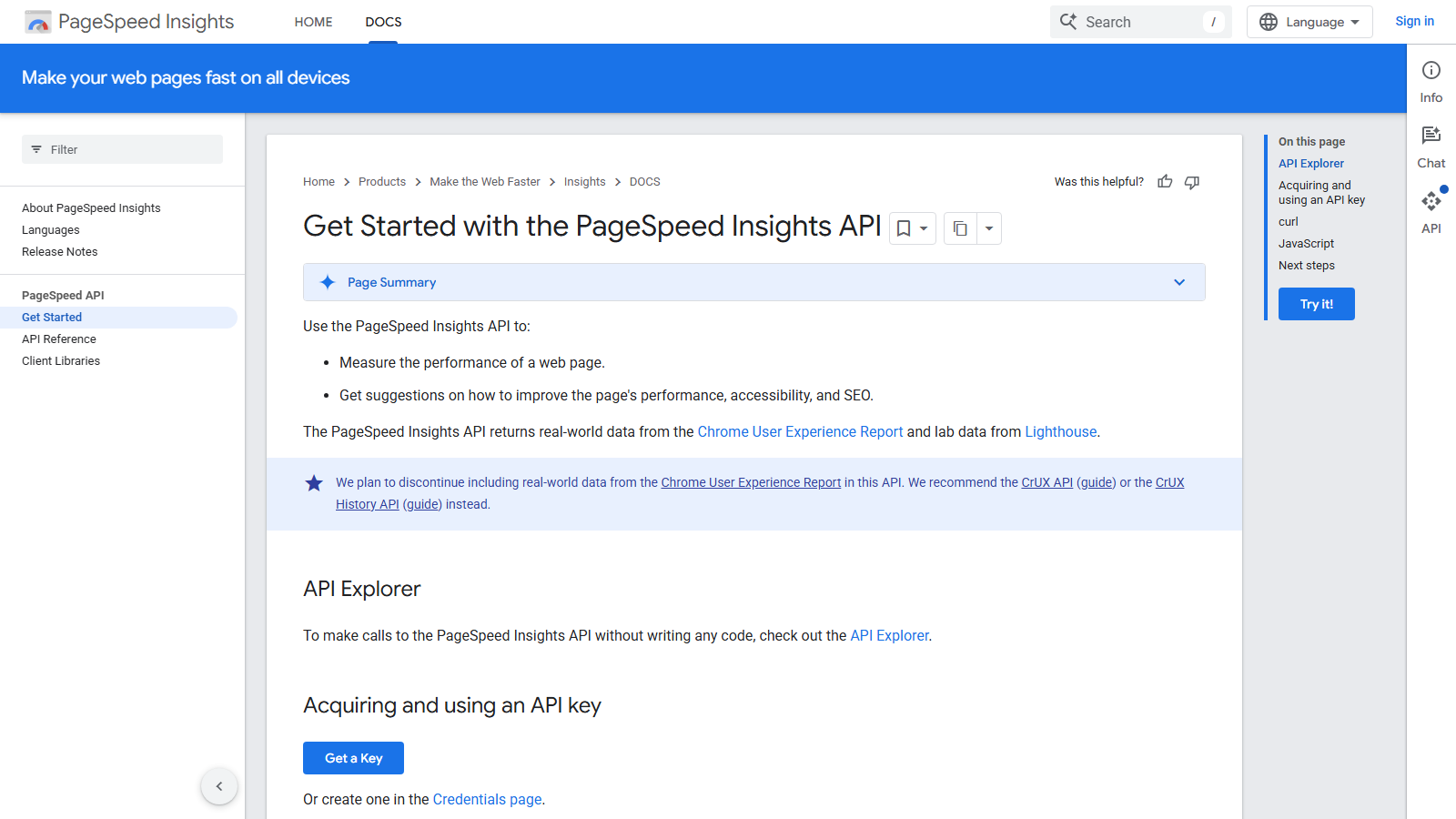
The PageSpeed Insights API runs Lighthouse against one public URL per request and returns the full report as JSON. Where Google holds enough Chrome UX Report samples, it attaches field data for that URL and its origin. Google publishes no price, plan or billing step for the API, so the working limit is the quota on the Google Cloud project behind your key.
That key is where older guides go wrong. Google's get-started page still says the API works with or without one, yet its discovery document says a key is required unless you send an OAuth 2.0 token. On 13 September 2026 each keyless request we sent came back HTTP 429, charged to a shared Google project whose daily limit read 0.
The half that will last is the slow half. Each call loads the page in a Google data centre under Lighthouse 13, may run for up to 120 seconds, and returns lab scores that move between runs. The field data is on notice: Google says it plans to stop including CrUX data here and recommends the CrUX API or CrUX History API. Build on the audits and source field data elsewhere.
Our scorecard
Our editorial read across six dimensions, scored 1 to 5. This is our own assessment, not an aggregate of user reviews, and it is deliberately kept out of the page's structured data.
- Data coverage3/5
A complete Lighthouse report in five categories plus CrUX for URL and origin, one URL per call, with the field half scheduled to go.
- Pricing5/5
Google publishes no charge at all. The ceiling is your project's quota, and raising it means a reviewed request.
- Documentation2/5
The get-started page and the discovery document disagree about the key, and no page states a default quota.
- Ease of integration4/5
One GET request with a URL and a key, plus Google client libraries. Long response times need generous timeouts.
- Reliability3/5
Stable service, noisy measurement: lab scores vary run to run, and pages behind bot protection fail rather than score.
- Support2/5
Google's docs point to Stack Overflow and a mailing list. There is no support channel for the API itself.
An editorial read, not an aggregate of user reviews, and deliberately kept out of this page's structured data.
What you can pull
runPagespeed (GET)
Counts against the project's Queries quota
One Lighthouse result for one URL: category scores, audits, metrics, stack packs, entities, a full-page screenshot and any run warnings or runtime error
category parameter
Included
Performance alone unless you name more. Repeat it for accessibility, best practices, SEO or the newer agentic browsing category; PWA is deprecated since Lighthouse 12
strategy parameter
Included
A mobile or desktop run. Google's reference says desktop is the default, so set it explicitly when you want mobile scores
loadingExperience and originLoadingExperience
Included, but Google plans to remove it
CrUX field data for FCP, LCP, CLS, INP and experimental TTFB over the trailing 28 days, with an origin_fallback flag when the URL itself lacks samples
lighthouseResult metadata
Fields, not a separate call
lighthouseVersion, configSettings and environment for each run, which is how you tell a Lighthouse upgrade from a real regression, since the API path stays v5
Who PageSpeed Insights API is for
Teams that want Google's hosted Lighthouse verdict on a known set of URLs at a steady pace. Think key templates checked nightly, a gate after each deploy, or client reports that should run on the Lighthouse version Google's public report uses. It needs only a public URL, so competitor pages cost the same as your own, and nothing has to be installed or kept current.
It is a weak base for field-data reporting you plan to keep, because Google intends to remove that data here, and the CrUX API already offers more metrics and a history endpoint. It also struggles with fast bulk auditing: each call is a full page load, and a Google Lighthouse engineer has described 30 to 60 seconds as normal.
Strengths and limits
What it does well
- No price, plan or billing step is published, so cost planning comes down to the quota on your own Cloud project.
- Lab and field results arrive in one response, and origin_fallback tells you when the field numbers describe the origin rather than the page.
- Lighthouse is maintained for you: Google moved the API to Lighthouse 13.0 on 20 October 2025, and the public report ran 13.4.1 when we checked.
- Five categories on request, including agentic browsing, which appears in the discovery document's category enum as of its 4 September 2026 revision.
- Any public URL can be audited, including competitors' pages, with no property verification.
- Quota failures are explicit: a 429 names the quota metric and the limit that ran out, with a link to request more.
- Google lists client libraries for Java, JavaScript, .NET, Objective-C, PHP and Python, with Dart, Go, Node.js and Ruby at earlier stages.
Where it falls short
- Google says it plans to stop including CrUX field data in this API and recommends the CrUX API or CrUX History API, without giving a date.
- Keyless use failed on every request we made, although Google's get-started page still describes the key as optional.
- No PSI documentation page states the default quota. The most recent public figure is a Google engineer's GitHub comment from 2022.
- Throughput is slow by design: every call is a full Lighthouse page load, with a maximum of 120 seconds since March 2021.
- Lab scores vary between runs, and Google's own FAQ names network availability, client hardware and resource contention as causes.
- Pages behind bot protection can return Lighthouse errors such as ERRORED_DOCUMENT_REQUEST instead of a result.
- Lighthouse upgrades arrive under the same v5 path, and Google's release notes flagged breaking response changes at versions 10, 11 and 12.
PageSpeed Insights API pricing
Google's PageSpeed Insights documentation mentions no fee, plan or billing account. Every question about PageSpeed Insights API pricing or cost therefore ends in the same place: nothing is charged, and your Google Cloud project's quota decides how much you can run.
That quota is the number Google no longer prints. The Quotas page for the API in your Cloud console shows your project's values. The last public figure came from a Google engineer on the Lighthouse GitHub in June 2022: 240 queries a minute and 25,000 a day per project. In January 2020 the same engineer gave 400 per 100 seconds per project. Treat both as dated.
Run time usually binds before quota does. At the 30 to 60 seconds per call a Lighthouse engineer called normal, one serial worker gets through roughly 60 to 120 URLs an hour, which is our arithmetic on his figure. Using a daily allowance anywhere near 25,000 needs many requests in flight at once, and a generous timeout on each.
More quota is a request rather than a purchase. Google Cloud's quota documentation routes increases through the Quotas & System Limits page, requires the Quota Administrator role and says requests are subject to review. The keyless route is no workaround: it runs on a shared project that reported a daily limit of 0 when we tested.
No key
Free
Charged to a shared Google project
- HTTP 429 on every call we made, 13 Sep 2026
- Error cites limit 'Queries per day'
- Reported limit value: 0
- Get-started page still calls the key optional
Your own API key
Free
Quota belongs to your Cloud project
- No price, plan or billing step published
- Values shown on the API's Quotas page
- Last public figure: 240/min, 25,000/day (2022)
- Per-day usage counted on Pacific time
Quota adjustment
No fee published
Requested in the Cloud console
- Filed from Quotas & System Limits
- Needs the Quota Administrator role
- Requests are subject to review
- Approval or refusal arrives by email
Request example
A minimal call against the live endpoint, with credentials read from the environment rather than pasted inline.
curl -s -G "https://pagespeedonline.googleapis.com/pagespeedonline/v5/runPagespeed" \
  --max-time 130 \
  --data-urlencode "url=https://example.com/pricing" \
  --data-urlencode "strategy=mobile" \
  --data-urlencode "category=performance" \
  --data-urlencode "category=seo" \
  --data-urlencode "key=$PSI_API_KEY" \
  -o psi-result.json

# Omit strategy and you get a desktop run; omit category and you get
# performance only. Google's REST reference lists the same values in
# upper case. The --max-time allows for the API's own 120-second limit.
#
# Store lighthouseResult.lighthouseVersion with every result, and read
# loadingExperience.origin_fallback before quoting field data as the
# page's own. Without the key this request returned HTTP 429 for us.
Rate limits and quotas
- One URL per request, as a GET with an empty request body.
- Only the performance category runs unless others are named; accessibility, best practices, SEO and agentic browsing are available, and PWA is deprecated.
- strategy defaults to desktop when omitted.
- Maximum analysis time is 120 seconds, raised from 60 on 2 March 2021.
- Field data covers FCP, LCP, CLS, INP and experimental TTFB over the previous 28 days, at URL level where there are enough samples and origin level otherwise.
- A key is required unless the request carries an OAuth 2.0 token, per the discovery document. Keyless calls returned 429 against a daily limit of 0 on 13 September 2026.
- Quota is set per Google Cloud project, and per-day usage is counted on Pacific time.
- Google's docs publish no default quota. In June 2022 a Google engineer gave 240 queries a minute and 25,000 a day per project.
- Quota increases are requested in the Cloud console and are subject to Google's review.
- Lighthouse 13.0 has run since 20 October 2025; the public report showed 13.4.1 on 13 September 2026.
What practitioners say on Reddit
Practitioners treat the API as the default free way to get Lighthouse data in bulk, either scripted over a URL list or through Screaming Frog's integration. When a 2021 r/bigseo crawl stopped about 7,000 URLs in, the reply that explained it pointed at the daily limit on the user's own key rather than at the sites being crawled.
The standing complaint is variance. A May 2026 r/TechSEO poster got a 57-second LCP from the API for a page the public report scored reasonably, and replies blamed a late popup and advised against trusting a single result. An August 2026 post ran 39 sites through the API on Lighthouse 13.4.1, found URL-level CrUX data in every response, and saw lab scores swing between runs minutes apart.
None of these threads mentions Google's plan to take field data out of the API. Some of the advice in them relies on exactly that block, which is the dependency Google's own documentation now warns against.
“39 sites through the PageSpeed Insights API today, one mobile run each, Lighthouse 13.4.1. Every one of them had URL-level CrUX data in the same response, so the lab half and the field half come out of a single call and there is no matching problem to argue about.”
r/TechSEO on Reddit“I wouldn't trust one PSI API result by itself. If the web test and API are giving very different LCP numbers, I'd compare the test setup first: device, throttling, location, URL version, cache state, and whether it's lab data or field data.”
r/TechSEO on Reddit“You're likely just crawling more than usual and hitting the daily API limit (which I believe is 25k hits per day) [...] it's specific to YOU not the sites you crawl. So if you already crawled another site that morning, that's the wall you are hitting.”
r/bigseo on Reddit
Verdict
Use it for what it will still do in a year: Lighthouse audits on demand, on Google's hardware, with no charge and no Chrome fleet to maintain. For nightly checks on key templates, deploy gates and client reports that should track Google's public tool, that is a strong offer.
Keep field data off it. Google has put the CrUX block on notice without a date, and the CrUX API already carries more metrics and 40 weeks of history through its History API. Move Core Web Vitals reporting there now and treat loadingExperience here as a convenience you may lose.
Get a key before writing any code, then design for time rather than money. Keyless calls failed on every attempt we made, Google no longer publishes the default quota, and at 30 to 60 seconds a run you will need parallel workers long before the daily ceiling. Read your project's Quotas page, log the Lighthouse version, and compare trends instead of single scores.
PageSpeed Insights API FAQ
Is the PageSpeed Insights API free?
Nothing is charged. Google publishes no price, plan or billing step for it. Use is limited by the quota on the Google Cloud project your API key belongs to. Google's PageSpeed documentation does not print that quota, so check the API's Quotas page in the Cloud console for your project's current values.What does the PageSpeed Insights API cost at high volume?
The bill stays at zero; the costs are time and infrastructure. A Google Lighthouse engineer described 30 to 60 seconds per call as normal, so one serial worker handles roughly 60 to 120 URLs an hour. Large batches need parallel workers, and going past your project's default quota means a request that Google reviews.What is the PageSpeed Insights API quota?
Google's PageSpeed docs give no default. Quota is set per Cloud project and shown on the API's Quotas page in the console. The latest public number is a Google engineer's June 2022 comment on the Lighthouse GitHub: 240 queries a minute and 25,000 a day per project. Treat that as a dated reference, not a guarantee.Can I call the PageSpeed Insights API without a key?
Not reliably any more. The get-started page still says a key is optional, but Google's discovery document says one is required unless you send an OAuth 2.0 token. On 13 September 2026 our keyless requests all returned HTTP 429, billed to a shared Google project whose daily limit was reported as 0.Where do I get a PageSpeed Insights API key?
Click Get a Key on Google's get-started page, or create a key on the Credentials page of a Google Cloud project. Append it to each request as key=, which Google says needs no URL encoding. Quota is then counted against that project instead of the shared pool that keyless calls draw on.Will the PageSpeed Insights API keep returning field data?
Google says it plans to stop including Chrome UX Report data in this API and recommends the CrUX API or CrUX History API instead. No date is given, and the discovery document revised on 4 September 2026 still defines the fields. New Core Web Vitals reporting belongs on the CrUX API, which allows 150 queries a minute per project.PageSpeed Insights API or CrUX API?
Different jobs. This API runs Lighthouse on one URL and attaches only the latest daily CrUX aggregate. The CrUX API returns field data alone, adds metrics PSI does not expose, such as LCP subparts and round-trip time, and its History API returns up to 40 weekly periods. Audit with PageSpeed Insights; trend field data with CrUX.Why does the PageSpeed Insights API score change between runs?
Lab runs are sensitive to network availability, hardware and resource contention, which Google's own FAQ lists as causes. Google also adjusted CPU throttling in December 2024 and moved to Lighthouse 13 in October 2025, and both shift scores. Store lighthouseVersion with each result and compare trends across several runs rather than reacting to one.
Other providers worth a look
This is an independent review. We have no affiliate relationship with PageSpeed Insights API, earn nothing if you sign up, and no provider pays for placement in the directory. Prices were read from the vendor's own pages in September 2026 and change without notice.