
Wagtail review
Open source, self-hosted
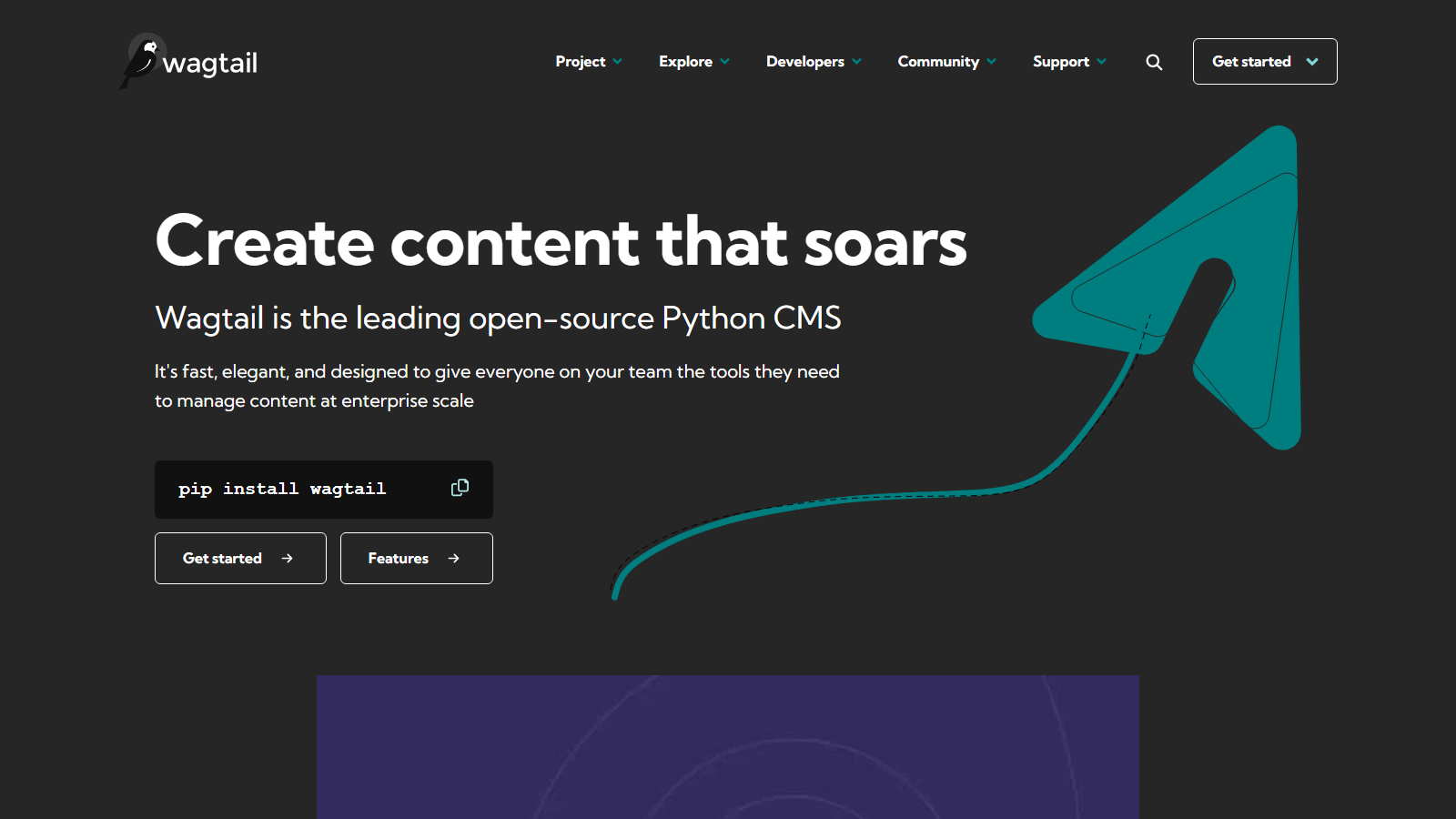
Wagtail is a content management system built as a Django application, created by Torchbox and released under a BSD-3 licence. There is no commercial edition and nothing held back for one: workflows, scheduling, revisions, localisation and the API ship in the same free package. Editors get StreamField, a block-based way to structure pages, and developers keep ordinary Django models underneath.
Headless is a supported mode with documented gaps, and Wagtail's own headless guide grades them. The built-in v2 REST API is stable and read-only. Wagtail 8.0, released on 25 August 2026, added a v3 API that can create, edit and publish content, but it ships as a preview that may change in any release. Form submissions and password-protected pages have no headless path.
That makes the cost question unusual. The licence is free, and none of Torchbox's own Wagtail service pages carries a price: developer support is sold in monthly hour blocks and managed hosting on request. What a headless build really costs is the Django developer who writes the models, the preview and the API layer, then keeps pace with a feature release every three months.
Our scorecard
Our editorial read across six dimensions, scored 1 to 5. This is our own assessment, not an aggregate of user reviews, and it is deliberately kept out of the page's structured data.
- Content modelling5/5
StreamField on top of real Django models and relations, so content and application data can share one schema.
- Developer experience4/5
Excellent for Django developers. Headless adds preview, routing and rich text work that the docs flag openly.
- Editor experience5/5
A mature admin with moderation workflows, scheduling, autosave and a built-in accessibility checker.
- Pricing5/5
Nothing to license at any scale. Support and hosting from Torchbox exist but are sold by quote.
- Governance4/5
Page permissions, workflows, revisions and an audit log in core. API write access is still preview-grade.
- Ecosystem4/5
Official packages for translation and AI, Django behind them, and GraphQL and preview as Torchbox add-ons.
An editorial read, not an aggregate of user reviews, and deliberately kept out of this page's structured data.
Wagtail in their own words
From Wagtail's own YouTube channel. Vendor marketing rather than an independent review, included because it is the quickest way to see the product before you sign up.
What you can query
REST API v2
Stable, read-only, public
Published pages, images and documents as JSON, filtered by page type, tree position, locale or search, with the fields chosen per request
REST API v3
Preview in 8.0, may change
Create, edit, publish, move, copy and revert pages, plus images, documents, snippets, redirects and revisions, described by an OpenAPI 3.1 schema
API tokens
For v3 only
Bearer tokens tied to a Wagtail user that act with that user's permissions, managed in the admin or with manage.py api_tokens
GraphQL via wagtail-grapple
Torchbox add-on, not in core
A GraphQL schema over your page models, with rich text pre-rendered to HTML
wagtail-headless-preview
The docs call it third-party
Draft content passed to a decoupled front end so editors can preview a page before it is published
Your own Django endpoints
The escape hatch when neither API fits
Custom views built with Django REST Framework or Django Ninja, reading the same models, permissions and ORM
Who Wagtail is for
Organisations with Python or Django engineers, and the public-sector, charity, education and cultural bodies Wagtail's own site speaks to. If you already run Django, Wagtail adds an editorial layer inside the application rather than a second system beside it. The LTS lines suit teams that upgrade yearly: 7.4 LTS receives fixes until 2 November 2027.
A JavaScript-only team wanting a hosted API next week should look elsewhere. Headless Wagtail means building preview, routing and rich text handling, forms need a custom endpoint, and the write API that would simplify automation is still a preview. If nobody will own a Django deployment, a hosted platform is the cheaper choice.
Strengths and limits
What it does well
- BSD-3 licence with no commercial edition, so no feature is held back for a paid tier and there is no licence to audit.
- StreamField gives editors structured, block-based pages while developers keep ordinary Django models underneath.
- Long-term support releases on a published schedule, with 7.4 LTS receiving fixes until 2 November 2027.
- The v2 API is mature and widely used for headless builds, with filters for page type, tree position, locale and full-text search.
- Wagtail 8.0 added write access with tokens tied to real user permissions, revisions and audit logging, which opens automation v2 never allowed.
- Moderation workflows, scheduling, revisions, autosave and an accessibility checker are all in core.
- The headless documentation grades its own gaps, including the unsupported ones, which shortens discovery on a new project.
- Paid help comes from the team that created it: Torchbox sells support hours and says the profits are reinvested in Wagtail.
Where it falls short
- THE WRITE API IS A PREVIEW. Wagtail says v3 may change in backwards-incompatible ways in any release until stabilised, and suggests mounting it at /api/v3-preview/.
- The stable v2 API is read-only and cannot return drafts, so headless previews need the wagtail-headless-preview package or the v3 preview.
- No official API exists for submitting Wagtail forms from a headless front end, and password-protected pages are excluded from API queries.
- Image sizes must be declared server-side or requested through a signed URL, which the docs admit is hard for a front-end developer.
- GraphQL is not built in. It comes from wagtail-grapple, a Torchbox add-on outside core and marked beta on PyPI.
- Neither Torchbox developer support nor managed hosting has a published price, so both start with a sales conversation.
- Feature releases every three months often drop older Django and Python versions, and one practitioner still runs a customised site on a very old release.
- The official MCP server, wagtail-mcp 0.1.0, calls itself a first-draft prototype, and Wagtail AI is marked alpha on PyPI.
Wagtail pricing
Wagtail has no price list because it has no product tiers. The BSD-3 licence covers every feature for any number of users, sites or pages, and no capability is reserved for a commercial edition. The licence line of the budget is zero, which moves all of it into infrastructure and people.
Torchbox, which holds the copyright, sells Wagtail developer support in four blocks: Basic at 4 hours a month, Business at 10, Enterprise at 20 and Custom above that. It also sells managed hosting on Heroku, or support inside your own AWS or Azure account, with 24/7 cover and quarterly upgrades. Neither page publishes a price.
Wagtail's deployment docs list CodeRed Cloud and Divio as hosts with first-class Wagtail support. Their prices sit on their own sites and are not vendor figures, so we do not repeat them. Any host that runs Python, a database and file storage will serve a Wagtail back end.
The largest line in a headless build is the Django work the headless guide describes: preview integration, URL routing, rich text rendering, image renditions and a forms endpoint. Price that at your developers' rates. Then add upgrade time, roughly quarterly on feature releases or yearly if you stay on LTS lines.
Wagtail
Free
BSD-3, any number of sites and users
- Every feature, with no commercial edition
- Workflows, scheduling, revisions and both APIs
- 8.0 runs on Django 5.2 to 6.1, Python 3.10 to 3.14
- You host it, patch it and upgrade it
Torchbox developer support
Quote only
4, 10, 20 or 20+ hours a month
- Sold as Basic, Business, Enterprise and Custom
- Setup help including headless, code reviews, pair programming
- Tickets and questions through a shared Slack channel
- Torchbox says all profits go back into Wagtail
Managed hosting
Quote only
Torchbox, or a listed hosting partner
- Torchbox runs it on Heroku, or supports your AWS or Azure
- 24/7 support, monitoring, backups and quarterly upgrades
- Docs also list CodeRed Cloud and Divio as first-class hosts
- Any host that runs Python and a database will work
Query example
A minimal fetch against the live API, with credentials read from the environment rather than pasted inline.
# Stable, read-only v2: ten blog pages, newest first, chosen fields.
# Each field must be declared in the model's api_fields.
curl -s -G "https://cms.example.com/api/v2/pages/" \
  --data-urlencode "type=blog.BlogPage" \
  --data-urlencode "fields=published_date,body,feed_image" \
  --data-urlencode "order=-first_published_at" \
  --data-urlencode "limit=10"

# v3 preview (Wagtail 8.0): the latest draft of page 42.
# Mounted at /api/v3-preview/ as the docs recommend, because v3 may
# change in backwards-incompatible ways until it is stabilised.
# v2 has no way to return a draft at all.
curl -s "https://cms.example.com/api/v3-preview/pages/42/?version=draft" \
  -H "Authorization: Bearer $WAGTAIL_API_TOKEN"
Limits and quotas
- Current release: 8.0, 25 August 2026. Active support until 3 November 2026, security fixes until 2 February 2027.
- Current LTS: 7.4, released 4 May 2026, supported until 2 November 2027.
- 7.0 LTS reaches end of support on 2 November 2026.
- Feature releases every three months; 8.1 is provisionally scheduled for 2 November 2026.
- Wagtail 8.0 supports Django 5.2, 6.0 and 6.1 on Python 3.10 to 3.14.
- v2 API: read-only and public, live pages only, password-protected pages excluded.
- v3 API: preview status in 8.0; bearer tokens carry the owning user's permissions.
- WAGTAILAPI_LIMIT_MAX caps the page size of list requests in both APIs.
- BSD-3-Clause licence, copyright 2014-present Torchbox Ltd and individual contributors.
- Repository on 13 September 2026: 20,498 stars, 869 open issues, 135 open pull requests.
What developers say on Reddit
Among Django developers Wagtail is the default recommendation, and the praise is specific. StreamField comes up constantly, as does the code-first approach of modelling content around the client rather than hunting for plugins. People who have shipped several sites describe fewer long-term headaches than on WordPress, and the Wagtail Slack is repeatedly named as a good place to get help.
The caveat attached to almost every recommendation is that Wagtail needs developers. Practitioners describe it as a toolkit for building a CMS rather than a CMS out of the box, and the learning curve is real: one developer reports three attempts without publishing a page. Headless users say the Next.js pairing works well once built, after a fair amount of upfront effort.
Two criticisms deserve weight. A developer who customised heavily now regrets it, because breaking changes left one site stranded on a very old release, which is the argument for LTS lines. And a long-time django CMS user finds Wagtail's third-party package ecosystem less healthy, with many packages apparently abandoned.
“Wagtail streamfields are awesome. Definitely use Wagtail, just bare in mind its not a CMS out of the book. It enables you to build a custom CMS using Django.”
r/django on Reddit“We use Wagtail and are very happy with it. Have played around with PayloadCMS too, which is also nice. Both need a developer or developers though.”
r/cms on Reddit“we raun multiple sites with wagtail/django as a backend and nextjs as the frontend. it makes sense when you need some complex backend setups when django/python is your preferred solution. [...] does require a fair bit of upfront effort to get everything working”
r/WagtailCMS on Reddit“Personally, I have two sites built with Wagtail and I regret using it. [...] I wrote a bunch of custom code a few years ago and there were breaking changes in Wagtail. So that site still runs on a very old version of Wagtail!”
r/django on Reddit“three goes at Wagtail over the years, still yet to get one single page published”
r/django on Reddit“However i found Wagtail has an ecosystem less healthy than DjangoCMS, a lot of third package for Wagtail seems abandoned. But it you are ready to build everything yourself it should not be a concern.”
r/django on Reddit
Verdict
Pick Wagtail when Django is already your stack, or when you are willing to adopt it for a long-lived editorial site. The licence never charges you, the LTS schedule is published with dates, and the editing experience is good enough that editors rarely ask for something else. For public-sector and charity teams, the accessibility tooling is a genuine point in its favour.
Go headless with the support page open. Its warnings are the work: preview, routing, rich text and images all need effort, and forms and protected pages have no API. Build production on the stable v2 API today, and prototype write automation on v3 behind the /api/v3-preview/ path Wagtail recommends, rather than wiring a publishing pipeline to it.
Budget the project by people rather than plans. There is no Wagtail invoice to compare with a hosted CMS, but there is a Django developer, a hosting bill and possibly a Torchbox support block, none with a public rate. Without that team, a hosted headless platform with a published price will cost less to own.
Wagtail FAQ
Is Wagtail free for commercial use?
Yes. Wagtail is BSD-3-Clause licensed, copyright Torchbox and contributors, with no commercial edition. You may use, modify and redistribute it commercially if you keep the copyright notice and do not use Torchbox's name to endorse your product. The Wagtail name and logo carry separate usage guidelines, published on wagtail.org.What does a Wagtail CMS project cost?
The software costs nothing, so the budget goes on hosting, Django development and optional support. Torchbox sells developer support in 4, 10 or 20 hour monthly blocks, plus managed hosting, without published prices. For a headless build, add the preview, routing and forms work the documentation flags, which is where most of the spend lands.Can Wagtail run as a headless CMS?
Yes, through the read-only v2 REST API, the v3 API in preview, or GraphQL via wagtail-grapple. Wagtail's own headless guide rates previews, images, routing and rich text as needing workarounds, and form submissions and password-protected pages as unsupported. Scope those pieces before committing to a decoupled front end.Is the Wagtail v3 API ready for production?
Not by Wagtail's own description. It shipped in 8.0 on 25 August 2026 as a preview that may change in backwards-incompatible ways in any release until stabilised, and the docs suggest mounting it at /api/v3-preview/. It already covers creating, editing, publishing and reverting pages with token authentication, so it is worth prototyping against now.Which Wagtail version should a new project use?
Most sites should start on the current LTS. Wagtail 7.4 LTS was released on 4 May 2026 and receives fixes until 2 November 2027. Choose 8.0 if you need the v3 API preview, knowing its security support ends on 2 February 2027. Sites on 7.0 LTS lose support on 2 November 2026.Where can I find a Wagtail freelancer or agency?
The services page on wagtail.org lists core team agencies in the UK, the Netherlands, Sweden, the US and Iceland, and points to the Made with Wagtail showcase for professionals elsewhere. Wagtail's FAQ also suggests posting in the #jobs channel of the community Slack. For support rather than a build, Torchbox sells monthly hour blocks.Wagtail vs WordPress: which suits my site?
WordPress if nobody on the team writes code and plugins cover each requirement. Wagtail if you have a developer and need structured content, workflows and permissions, or want Python. Wagtail's own comparison page is candid on the point: WordPress can launch without a developer, while Wagtail works best for teams with at least one.Wagtail vs django CMS: how do they differ?
Both are open source Django applications. django CMS, stewarded by the django CMS Association, leads with a drag-and-drop visual page builder and a plugin architecture. Wagtail leads with StreamField content modelled as page types, an API and editorial workflows. Visual layout composition favours django CMS; structured, reusable or headless content favours Wagtail.
Other platforms worth a look
This is an independent review. We have no affiliate relationship with Wagtail, earn nothing if you sign up, and no vendor pays for placement in the directory. Prices were read from the vendor's own pages in September 2026 and change without notice.