

Decap CMS review
Free git-based editing
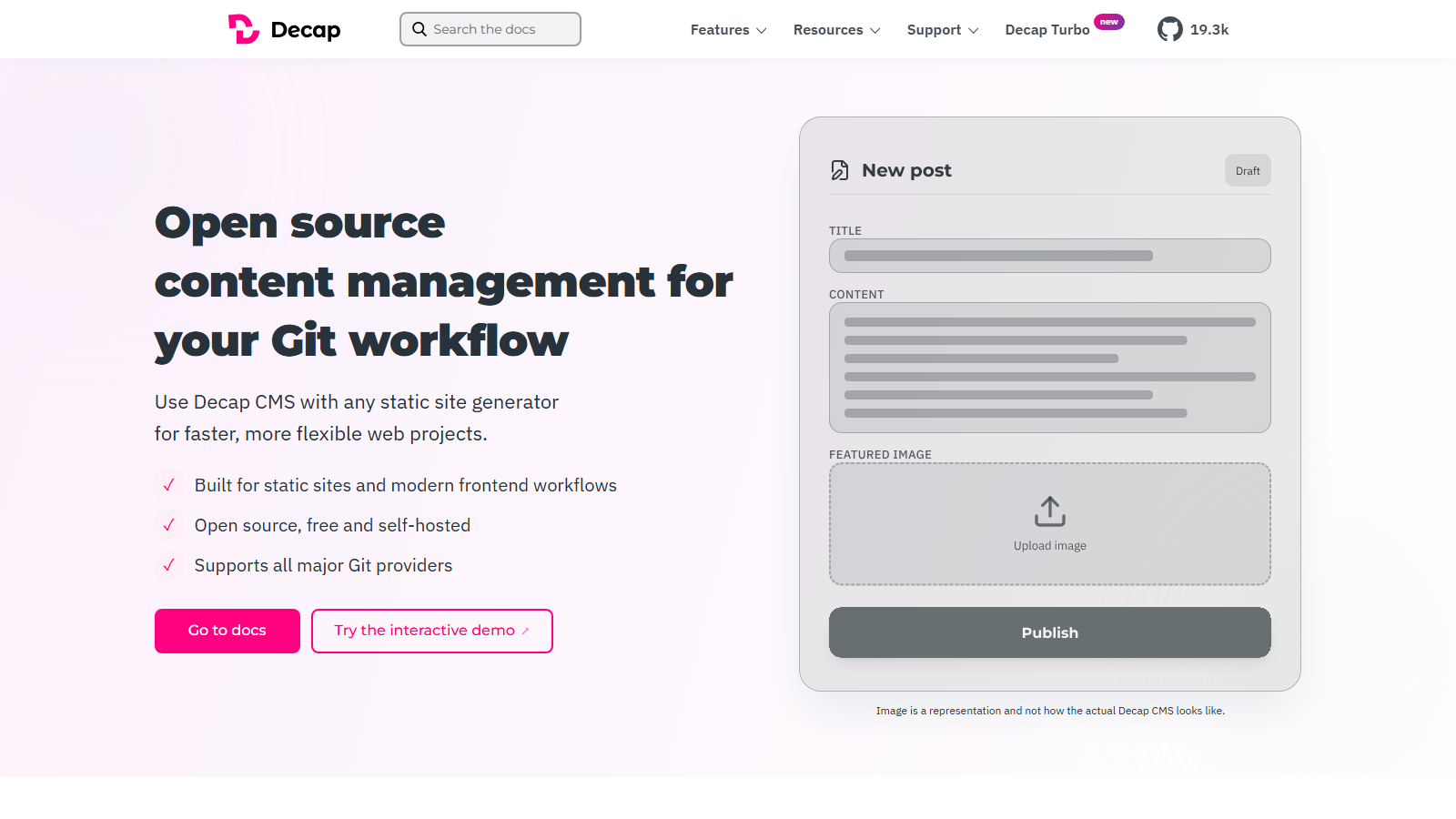
Decap CMS is a single-page admin application you drop into your own site. Editors log in, fill in fields, and Decap commits the result as Markdown to your Git repository. There is no database and no API to consume, and the CMS itself has no bill: it is MIT-licensed. Since October 2026 its maintainer, PM d.o.o., also sells Decap Turbo, an optional hosted backend that handles editor sign-in, with a free plan.
The question that follows it everywhere is whether it is maintained, and the reason is real. Decap is the renamed Netlify CMS, which Netlify let go: by early 2023 the last commit was nearly a year old and developers were asking on Netlify's own forum whether the project was dead. It was then handed to PM d.o.o., a software company of about 30 people, and renamed.
So rather than assert that it is fine, here is the state of the project on 20 November 2026. Not archived. 19,497 stars. 359 open issues, by the maintainers' own State of Decap page. Latest release decap-cms@3.18.0, published on 18 November 2026. Whatever happened in 2022, the project is shipping now, and that is checkable in half a minute.
Our scorecard
Our editorial read across six dimensions, scored 1 to 5. This is our own assessment, not an aggregate of user reviews, and it is deliberately kept out of the page's structured data.
- Content modelling3/5
YAML-configured collections and fields over Markdown. Enough for posts and pages, not for relations.
- Developer experience4/5
One script tag and a YAML file. Nothing to run, nothing to deploy, nothing to pay.
- Editor experience3/5
A competent form-based admin panel. No visual editing, which is where Tina pulled ahead.
- Pricing5/5
The CMS is free under MIT with no tiers or seats; the optional Turbo backend is the only thing sold.
- Governance3/5
Editorial workflow is pull requests, so review and audit are Git's rather than the CMS's.
- Ecosystem3/5
19k stars and a large widget and backend collection, against 359 open issues.
An editorial read, not an aggregate of user reviews, and deliberately kept out of this page's structured data.
What you can query
Git backends
Your repo is the datastore
Reads and writes content through the GitHub, GitLab, Bitbucket, Gitea or Azure DevOps APIs, committing directly to your repository
Content files
There is no content API to query
Markdown with YAML frontmatter, or JSON, YAML and TOML. Consumed by your static site generator, not by an API call
config.yml
In your repo, so version-controlled
The whole content model: collections, fields, widgets, media paths and backend configuration in one YAML file
Editorial workflow
Optional, off by default
Draft, review and publish states implemented as pull requests, so approvals happen in Git rather than a proprietary queue
Widgets and custom previews
How you extend it
Built-in field types plus a JavaScript API for registering your own widgets and preview components
Authentication
The main setup friction
GitHub and Bitbucket need an OAuth service you host or Netlify; GitLab, Gitea and Forgejo sign in with PKCE and need nothing; Decap Turbo replaces all of it
Who Decap CMS is for
Small static sites where somebody non-technical needs to publish and the budget is zero. A marketing site, a documentation site, a personal blog, a client site an agency hands over. Decap adds an editing interface to a Git workflow without adding a subscription, unless you choose Turbo to skip the sign-in setup.
It stops making sense the moment you need visual editing, a large content set, relational content or somebody to call when it breaks. Those are all real requirements and none of them is what a free MIT admin panel is for.
Strengths and limits
What it does well
- Genuinely free under a plain MIT license, with no tiers, no seats and no usage limits; the paid Turbo backend is optional.
- Content is Markdown in your own repository, so there is nothing to migrate and no export to request.
- The whole content model is one YAML file in your repo, so schema changes go through code review like anything else.
- Editorial workflow is implemented as pull requests, which means review and audit trail are Git's rather than a proprietary system's.
- Backends for GitHub, GitLab, Bitbucket, Gitea, Forgejo and Azure DevOps, so it is not tied to one provider.
- Nothing to run: it is a static admin app, so hosting cost is effectively zero on any static host.
- Actively maintained by a company, with 3.18.0 released on 18 November 2026.
- 19,497 stars and a large collection of community widgets and custom previews.
Where it falls short
- No visual editing. Editors get a form, and Tina exists precisely because people wanted the page instead.
- 359 open issues by the maintainers' own count in November 2026. The project is alive, and that is a meaningful backlog for a free tool.
- The Netlify abandonment is recent enough history to matter. It stalled once; since February 2023 the maintainer has been PM d.o.o., a software company funded by sponsors and its paid Decap Turbo service.
- Sign-in is the main friction: GitHub and Bitbucket need an OAuth service you host (or Netlify), unless you pay for Decap Turbo.
- Git is the database, so large content sets, frequent edits and relational models all fall over well before a conventional CMS would.
- No content API. Your site generator reads files, which is fine for static sites and useless if you wanted a CMS to serve an app.
- No support contract for the free CMS. Priority support is a paid add-on to Decap Turbo Pro, and Turbo Enterprise adds dedicated support and an SLA.
- No MCP server, no AI features and no roadmap commitment to either.
Decap CMS pricing
The CMS costs nothing. Decap is MIT-licensed software with no paid tier, no seat count and no usage limits. Hosting it costs whatever your static host charges to serve a few hundred kilobytes of JavaScript, which for most people is nothing.
The honest cost is setup and self-support. On GitHub and Bitbucket, sign-in runs over OAuth, which means standing up a small auth service unless Netlify supplies one, and that is the step most people lose an afternoon to; GitLab, Gitea and Forgejo use PKCE and need nothing. Since October 2026 there is a paid way around it: Decap Turbo, a hosted backend from the maintainer, free for one site and one seat and €19 a month (EUR only) for five seats. After that it is a YAML file and a script tag.
The other cost is the 359 open issues. That is not a criticism of the maintainers, who are shipping regularly, but it is the practical difference between free software and a subscription: when you hit an edge case, the answer is the issue tracker and the source rather than a support queue.
If that trade does not suit, the realistic upgrade is TinaCMS at $24 a month per project. It keeps the same guarantee, content as Markdown in your repository, and adds visual editing and a company. It is also, notably, the alternative developers named when Netlify CMS stalled.
Decap CMS
Free
MIT, forever, no tiers
- No seats, no documents, no API calls, no limits
- No account needed for the CMS itself
- You provide hosting, which is usually a static host
- Copyright 2016 Netlify, under a plain MIT grant
What it actually costs
Your time
The honest accounting
- OAuth setup against your Git provider
- An auth service, unless your host provides one
- Debugging without commercial support
- 359 open issues means some edges are yours to work around
Decap Turbo
Free, then €19 / mo
Optional hosted backend, EUR only
- Free: 1 site and 1 seat
- Pro: 1 site and 5 seats, then €10 a site and €6 a seat
- Editors sign in with a Turbo account, no Git host account
- Enterprise by quote, with dedicated support and an SLA
Query example
A minimal fetch against the live API, with credentials read from the environment rather than pasted inline.
backend:
  name: github
  repo: your-org/your-site
  branch: main

publish_mode: editorial_workflow   # drafts become pull requests
media_folder: "static/images"

collections:
  - name: "post"
    label: "Blog Posts"
    folder: "content/posts"
    create: true
    fields:
      - { label: "Title",  name: "title", widget: "string" }
      - { label: "Date",   name: "date",  widget: "datetime" }
      - { label: "Body",   name: "body",  widget: "markdown" }

# That is the whole integration. There is no server to run and no
# API to call: your site generator reads content/posts as it always
# did, and Decap is an admin panel that commits to it.
Limits and quotas
- Licence: MIT, copyright 2016 Netlify.
- The CMS has no paid tier or usage limits. Decap Turbo, the optional hosted backend, is Free (1 site, 1 seat), Pro at €19 a month (1 site, 5 seats) or Enterprise by quote, priced in EUR.
- Repository state on 20 November 2026: not archived, 19,497 stars; 359 open issues on the State of Decap page.
- Latest release: decap-cms@3.18.0 on 18 November 2026; Decap Turbo went GA in 3.17.0 on 14 October 2026.
- Maintainer: PM d.o.o. since February 2023, funded by sponsors and Decap Turbo.
- Supported backends: GitHub, GitLab, Bitbucket, Gitea, Forgejo and Azure DevOps.
- Content formats: Markdown with YAML frontmatter, plus JSON, YAML and TOML.
- Practical scale is bounded by your Git provider's API and your build times, not by a plan.
What developers say on Reddit
The discussion is dominated by one thing, and it is the reason this page leads with repository statistics. In early 2023 developers in r/selfhosted established that Netlify CMS was effectively abandoned, pointing at a nearly year-old last commit and a thread on Netlify's own forum literally titled "is this project dead?". The tone is regret rather than anger: people liked it precisely because being git-based and easily self-hostable made it unusual.
The same thread contains the resolution. A later comment records the rebrand to Decap CMS under new maintainers, which is what actually happened, and the release history since bears that out.
What has not changed is the gap that abandonment opened. The alternative developers reached for was TinaCMS, and the reason they give is visual editing rather than maintenance. Decap won on portability and lost on editor experience, and that is still an accurate summary of the choice today.
“Just a heads-up that Netlify CMS is not maintained anymore. The last commit has been almost a year ago, and Netlify doesn't seem to care about the project anymore. Really unfortunate because being git-based and easily self-hostable made it a very unique CMS. The closest alternative is probably Tina CMS”
r/selfhosted on Reddit“It's been recently announced that Netlify CMS is being rebranded to Decap CMS with new maintainers.”
r/selfhosted on Reddit“Although I had noticed it had been a while since the last commit, I didn't realize it was unmaintained/unsupported by Netlify to this extent. [...] I can only hope that Netlify steps up to the plate, or a community fork continues its legacy.”
r/selfhosted on Reddit
Verdict
Use Decap when the site is small, static, and the budget is genuinely zero. It adds an editing interface to a Git workflow without a recurring cost, and for a client site an agency wants to hand over cleanly that is a real advantage over anything with a subscription attached.
On the maintenance question, stop relying on 2023. The project stalled under Netlify, was handed to PM d.o.o., which shipped 3.18.0 on 18 November 2026 and now sells a hosted backend, Decap Turbo. Check it yourself before you decide: the repository is public and the answer takes thirty seconds. The 359 open issues are the fair counterweight.
The real reason to choose something else is editing, not maintenance. Decap gives editors a form. If they need to see the page, TinaCMS does the same job with visual editing for $24 a month per project, keeps the same portability guarantee, and is the alternative the community itself named.
Decap CMS FAQ
Is Decap CMS still maintained?
Yes. PM d.o.o. has maintained it since February 2023; on 20 November 2026 the repository was not archived, had 19,497 stars, and had released decap-cms@3.18.0 on 18 November 2026. The fair counterweight is 359 open issues. Given the project's history, check the repository yourself rather than trusting any write-up, including this one.What happened to Netlify CMS?
Netlify effectively stopped maintaining it. By early 2023 the last commit was nearly a year old and users were asking on Netlify's own forum whether the project was dead. It was subsequently handed to PM d.o.o. and renamed Decap CMS, which is the project that continues today.How much does Decap CMS cost?
The CMS costs nothing: it is MIT-licensed with no paid tier, seats or usage limits, and your costs are hosting a static admin page and the setup time for OAuth. Decap Turbo, an optional hosted backend that handles login and proxies your Git host, has a free plan for 1 site and 1 seat, and Pro is €19 a month.Where does the content live?
As Markdown with YAML frontmatter, or JSON, YAML or TOML, committed directly to your own Git repository. There is no database and no content API: your static site generator reads the files exactly as it would if you had written them by hand.What is the hardest part of setting it up?
Authentication. On GitHub and Bitbucket, Decap authenticates over OAuth, which means running a small auth service unless Netlify or the paid Decap Turbo backend provides one; GitLab, Gitea and Forgejo need nothing. Everything else is a script tag and a config.yml file, so budget your setup time for that one step.Does Decap have visual editing?
No. Editors get a form-based admin panel with field widgets and optional custom previews. Visual editing is the specific gap that led developers to TinaCMS, which keeps the same git-based portability and adds editing against a live rendering of the page.How does the editorial workflow work?
As pull requests. Enabling editorial_workflow makes drafts into PRs against your repository, so review, approval and the audit trail all live in Git rather than in a proprietary state machine. For a developer-run team that is more useful than a bespoke approval queue.Decap CMS or TinaCMS?
Decap if the budget is zero and a form is enough. Tina if editors need to see the page they are editing, and $24 a month per project is acceptable. Both keep your content as Markdown in your own repository, so the portability argument is identical and the choice comes down to editor experience and support.Is there a free Decap CMS plan?
Decap CMS's free allowance when we checked in November 2026: Free forever, MIT.Is Decap CMS open source?
Yes. Decap CMS ships under an open source license, read from the LICENSE file in its repository rather than its marketing site.Can you self-host Decap CMS?
Yes. Decap CMS runs on your own infrastructure. Content is stored as files in your Git repository.Does Decap CMS work with Next.js?
Yes. Decap CMS supports Next.js, and also lists React, Vue / Nuxt, Svelte / SvelteKit, Astro.
Other platforms worth a look


This is an independent review. We have no affiliate relationship with Decap CMS, earn nothing if you sign up, and no vendor pays for placement in the directory. Prices were read from the vendor's own pages in November 2026 and change without notice.